Administrative Assistant Resume Template
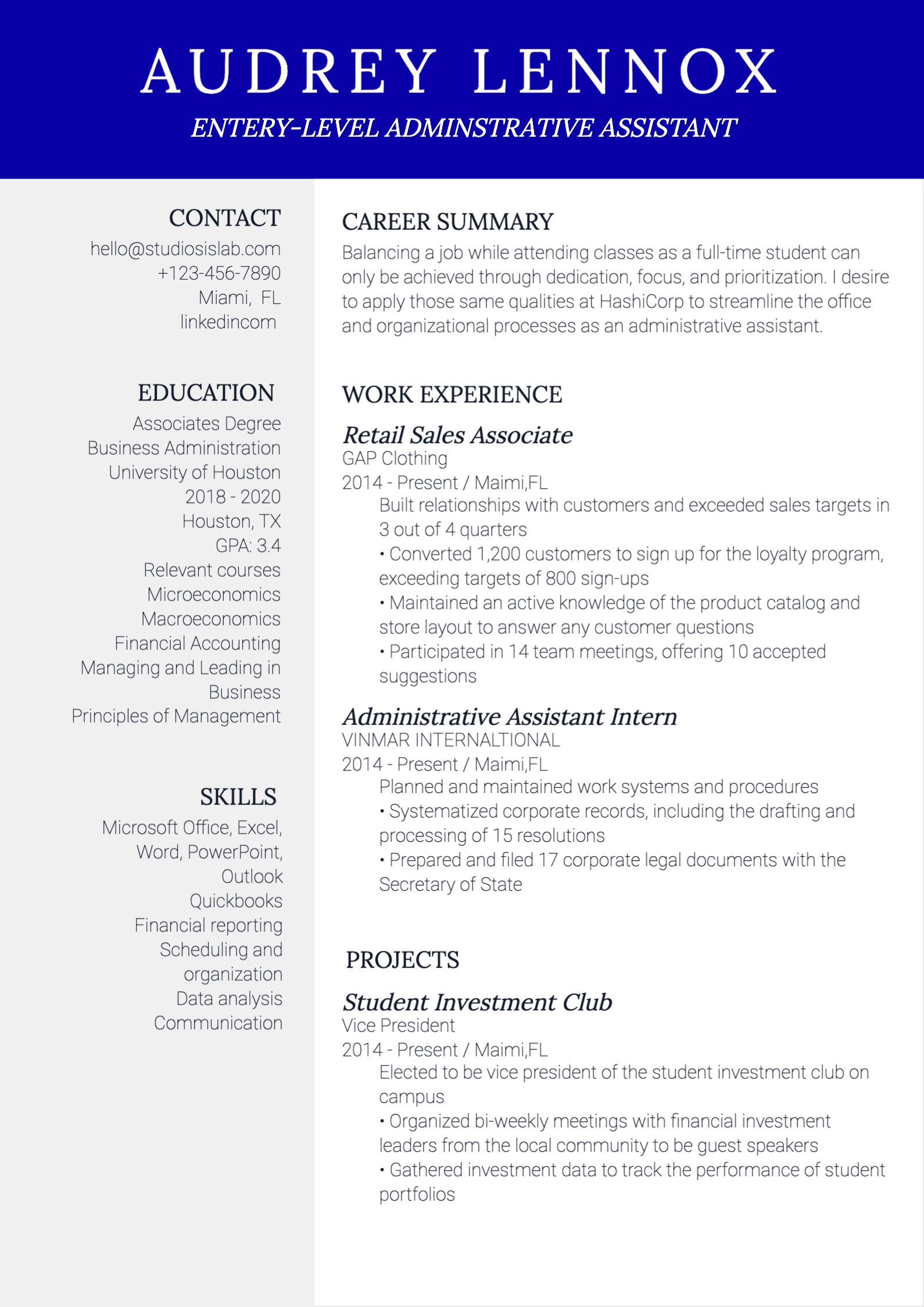
Administrative assistant roles depend on precision, communication, and reliable follow-through. This template helps you organize calendar support, documentation, and office coordination achievements into a resume format that is easy for ATS tools and hiring teams to review.
Who this resume is for
- Administrative assistants supporting executives, teams, or department operations.
- Office coordinators handling scheduling, documentation, and communication workflows.
- Candidates moving from customer-facing operations into formal admin support roles.
- Professionals applying for assistant roles in healthcare, education, legal, or business offices.
What to include
- A summary that highlights organization, communication, and execution strengths.
- Calendar management, meeting coordination, and travel or event support responsibilities.
- Documentation and records work, including data entry, filing, and process tracking.
- Office operations contributions such as vendor coordination, supply workflows, and follow-ups.
- Tools and systems like Microsoft Office, Google Workspace, CRM, and scheduling software.
ATS tips
- Use job-post language such as calendar management, office coordination, and administrative support.
- Include software skills explicitly, especially Microsoft Office, Google Workspace, and CRM tools.
- Keep headings conventional so ATS can parse responsibilities and systems experience accurately.
- Add practical workflow terms like documentation, correspondence, and scheduling support.
Resume writing tips
- Show how your support improved team efficiency, scheduling reliability, or documentation quality.
- Use concise bullets that combine task ownership with measurable or observable results.
- Highlight communication strengths with examples of stakeholder coordination.
- Prioritize recent, role-relevant admin experience over broad generic responsibility lists.
Related resume templates
FAQ
What should I prioritize on an administrative assistant resume?
Prioritize scheduling, communication, documentation, and office support outcomes that directly match the target role requirements.
Do I need to include software tools for admin roles?
Yes. Listing tools like Microsoft Office, Google Workspace, and CRM systems helps recruiters quickly assess readiness.
How can I make administrative work sound impactful?
Focus on outcomes such as smoother scheduling, reduced errors, faster coordination, or improved document handling consistency.